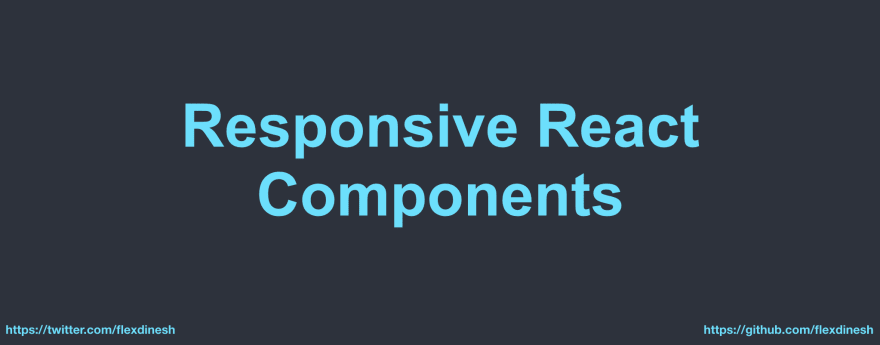
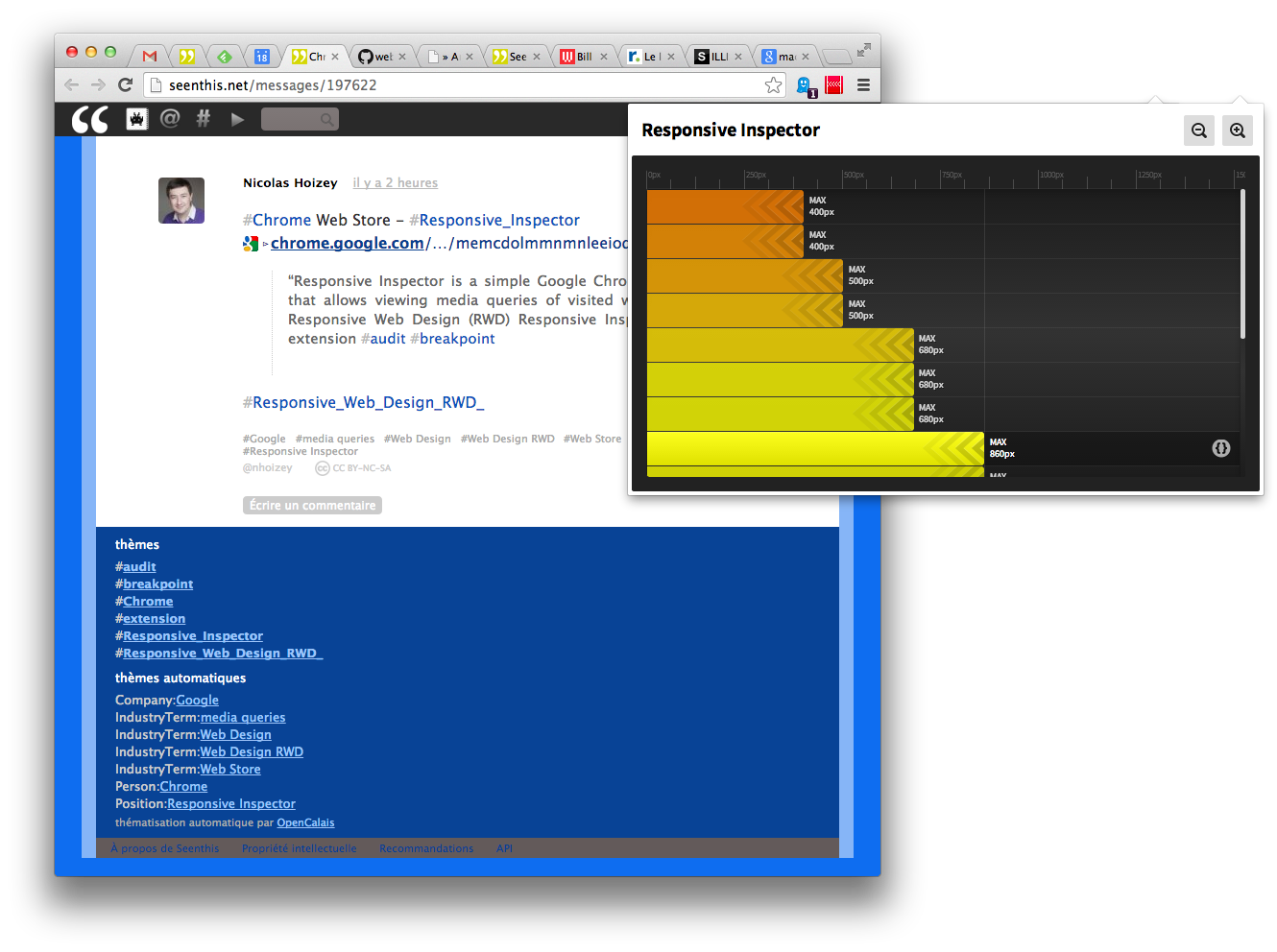
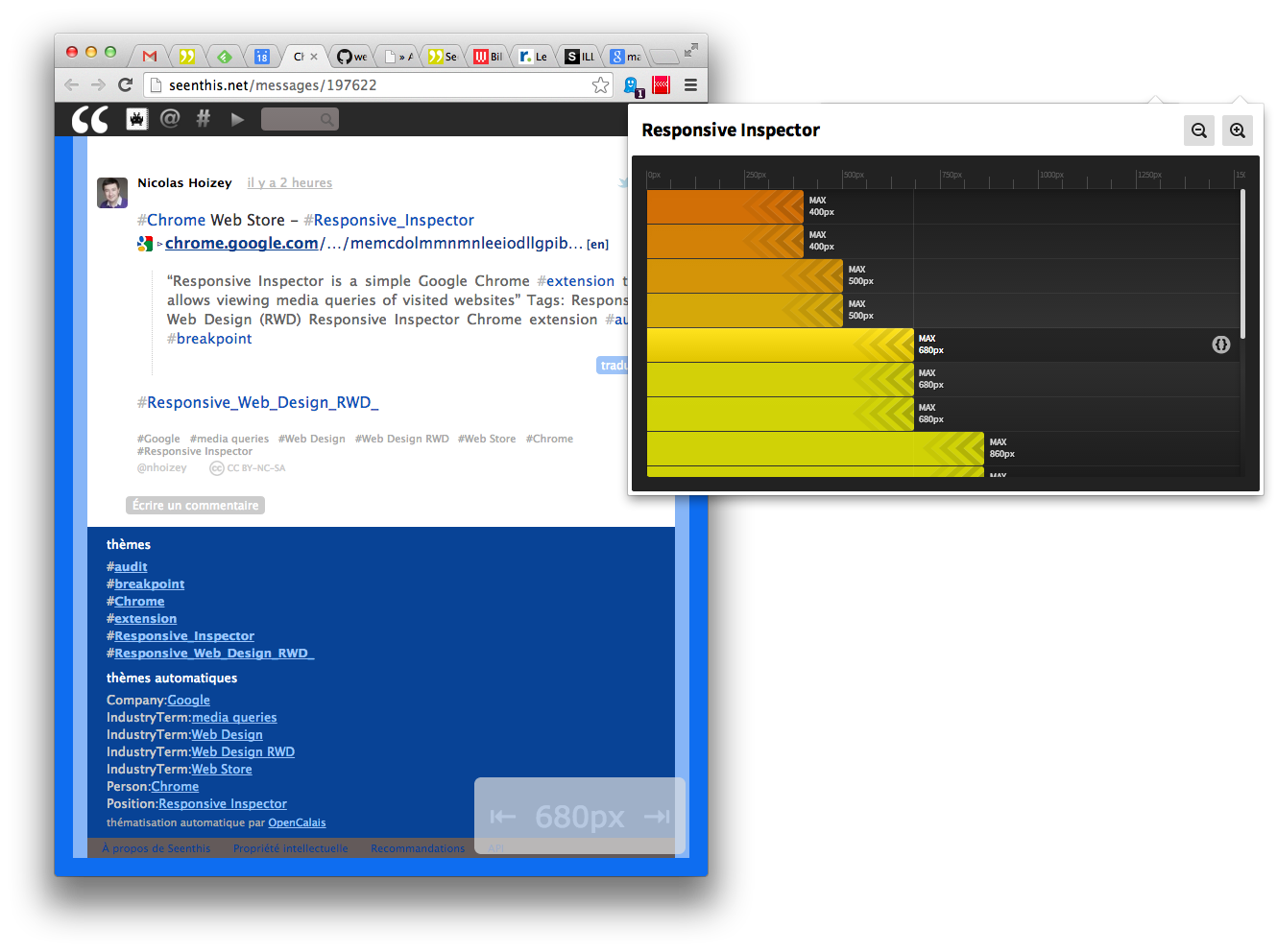
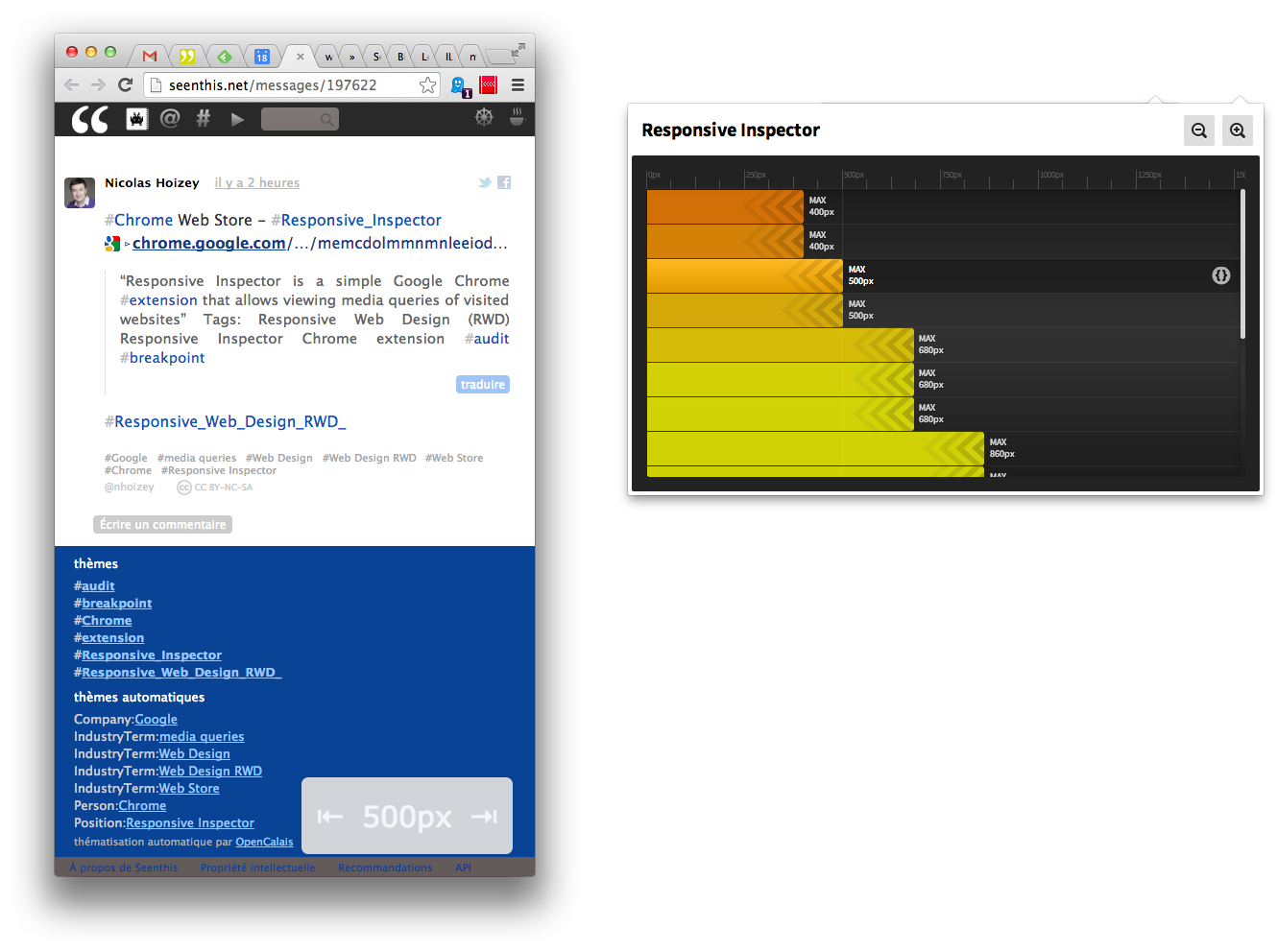
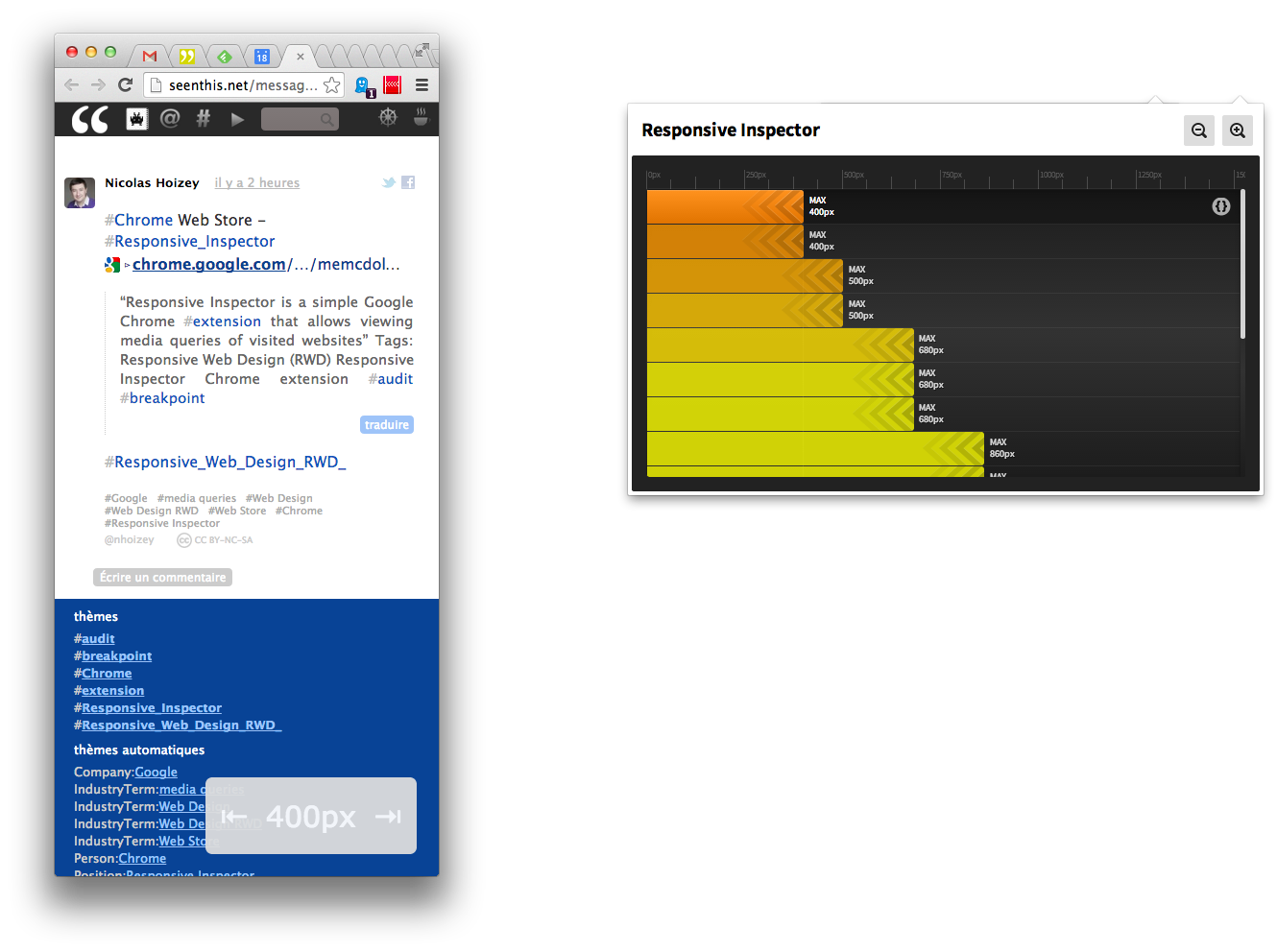
Designing for Breakpoints · An A List Apart Article
http://alistapart.com/article/designing-for-breakpoints
Designing for Breakpoints · An A List Apart Article
http://alistapart.com/article/designing-for-breakpoints
The State Of #Responsive #Web #Design | Smashing Mobile
http://mobile.smashingmagazine.com/2013/05/29/the-state-of-responsive-web-design
Un article qui fait la synthèse d’à peu près toutes les techniques qui tournent autour du responsive. L’état de l’art quoi.
Signalé sur #Openweb par Élie Sloïm. Version française bientôt apparemment.
#développement #css #html
Create a #Responsive Web Design with #MediaQueries
http://line25.com/tutorials/create-a-responsive-web-design-with-media-queries
The next most popular resolution under #960px width is #768px to cater for portrait tablet screens. This Typo design is built using a grid, so to stay true to the layout we can simply remove a column to leave a width of 758px. The original layout can then be narrowed down to fit by reducing the margin on the content div as well as reducing the overall width of the sidebar.
3 #breakpoints
@media screen and (max-width: 960px)
@media screen and (max-width: 758px)
@media screen and (max-width: 524px)
Le contraire de FESS your CSS (http://seenthis.net/messages/127057) : CSSCSS
http://zmoazeni.github.io/csscss
csscss will parse any CSS files you give it and let you know which rulesets have duplicated declarations
Via http://web-design-weekly.com/2013/04/14/web-design-weekly-84
#css
Un petit #schéma qui explique rapidement les relations entre les termes #responsive, #adaptive, etc.
http://viljamis.com/img/blog/2012/adaptive_map.png
Tiré de http://viljamis.com/blog/2012/adaptive-vs-responsive-whats-the-difference.php
Ben c’est une #mindmap, il faut donc la lire à partir du centre, chaque branche décrivant son parent. Donc oui, ça m’a mieux montré quel terme englobe tel autre.
If my post made things look more complicated than they actually are, then this all in short: Responsive design is a subset of adaptive design. Responsive design = fluid layout only, while adaptive design = fluid layout + progressive enhancement.
Comment distinguer les écrans « grand », « petit » et « moyen » en #CSS ? Bah, c’est pas facile, mais voilà une astuce…
Responsive Web Design With Physical Units | Smashing #Mobile
http://mobile.smashingmagazine.com/2013/03/21/responsive-web-design-with-physical-units
Here’s the theory: In a combined query, if the ratio between the smaller of the width and height and the resolution, called a PSINET score, is higher than 5, then the result falls in the category of a physically large device. If the resulting number is lower than 5, then it is a physically small device. Devices that score very close to 5 are considered to be medium-sized.
Let’s compare two media-query declarations:
@media (min-resolution: 341dpi) and (min-width: 767px) > {
}
and
@media (max-resolution: 131dpi) and (min-width: 767px) > {
}
At first glance, this doesn’t seem like much of a separation, right? Wrong. The numbers I’ve used are specific to the HTC Windows Phone 8X (the first snippet) and the iPad 2 (the second snippet). By using the resolution query, one can basically separate physically small devices from large devices.
css - Detecting #iPad / #iPhone using #media_queries - Stack Overflow
http://stackoverflow.com/questions/11680095/detecting-ipad-iphone-using-media-queries
I use the following media queries (defining splash images for web apps). It handles iPhone non-retina and iPhone 4/4s and both #non-retina iPad and #retina iPad (portrait and landscape).
Adactio : Journal—Dealing with IE
http://adactio.com/journal/5964
Now there’s a temptation here to dismiss this particular combination of old browser + old OS + narrow resolution as an edge case. It’s probably just one person. But that one person is a prolific contributor to the site. This situation nicely highlights the problem of playing the numbers game: as a percentage, this demographic is tiny. But this isn’t a number. It’s a person. That person matters.
Je dirais même plus : cette personne est nombreuse, si je puis dire. Si ce n’est pas IE8 c’est IE9, mais c’est pareil.
Five responsive web design pitfalls to avoid | Feature | .net magazine
http://www.netmagazine.com/features/five-responsive-web-design-pitfalls-avoid
320px. 480px. 768px. 1024px. The fold. Oh God, the fold.
The fact of the matter is that we don’t control what our visitors’ browser sizes are, nor what dimensions manufacturers decide to make their devices. Believe me, they’re trying every size in the book.
C’est le truc dur à piger par les décideurs, dans le #responsive : les points de rupture sont fonction de ton design, pas des plateformes qui le consultent.
Responsive Web Design by Vitaly Friedman de Smashing Magazine - #ParisWeb
#Responsive_web_design challenges web designers to adapt a new mindset to their design processes as well as techniques they are using in design and code.
avec des astuces comme le « #Conditional_CSS »
http://www.jordanm.co.uk/post/22964442013/source-shuffling-responsive-images-based-on-media
des remarques sur la complication qu’il y a à gérer des écrans de toute taille notamment #mobile
http://www.html5rocks.com/en/mobile/high-dpi
des buzzwords comme « Content choreography »
►http://trentwalton.com/2011/07/14/content-choreography
A Whole Bunch of Amazing Stuff Pseudo Elements Can Do | CSS-Tricks
http://css-tricks.com/pseudo-element-roundup
It’s pretty amazing what you can do with the pseudo elements :before and :after. For every element on the page, you get two more free ones that you can do just about anything another HTML element could do. They unlock a whole lot of interesting design possibilities without negatively affecting the semantics of your markup. Here’s a whole bunch of those amazing things. A roundup, if you will1.
Adaptive Content Management | Journal | The Personal Disquiet of Mark Boulton
http://www.markboulton.co.uk/journal/adaptive_content_management
A writer may use IA Writer, Notepad or Apple Pages. But most likely, they’ll be using Microsoft Word. They’ll create the content, edit it, save it, re-edit, print it and scribble all over it, get it reviewed, talk about it, throw it away, re-write it. Once they’ve done all of this, they’ll need to publish it – or maybe they’ll just need to put it in the editorial workflow for review. To do that, they generally copy and paste paragraphs into the CMS. They’ll then need to fill in all of these other required fields: some meta data, pick some categories, a 140 character standfirst, a standfirst for the mobile display, upload some images, but damn, they forgot to crop them.
You get the idea. And so it goes on. Publishing content with a content management system is a royal pain in the arse. Almost without exception.
Ouep.
Entièrement d’accord avec cet article. On parle à tort de #CMS quand il s’agit de système de publication sur internet (#WPT dans l’article). Un #CMS doit permettre de suivre des contenus partout, de les ranger et de les historiciser correctement. Et bien entendu de les réutiliser pour les publier où l’on veut (#web, #ebook, print etc.).
Si on peut faire plus global avec du vrai CMS oui, mais la plupart des solutions utilisées aujourd’hui sur le Web sont purement WCM et incapables de faire autre chose que du Web (notamment à cause du WYSIWYG).
Les vraies solutions CMS qui sont suffisamment génériques et ne considèrent le Web que comme UN des média de diffusion ne sont pas légion.
Spip (ou n’importe quel système de publication moderne comme lui je suppose) permet de faire des modèles vers d’autres formats que HTML, donc j’ai l’impression que ce n’est pas tant la faute des outils que de la majorité des gens qui les utilisent. Non ?
Tous ceux qui imposent un WYSIWYG (donc quasiment tous hors SPIP) ont une base de contenus bourrée de HTML, parfois même de HTML pourri, donc servir ces contenus dans autre chose que du HTML peut être très compliqué…
Content Choreography | Trent Walton
►http://trentwalton.com/2011/07/14/content-choreography
Another thing I’ve noticed is that media queries are being used to significantly #redesign pages. I’ve seen background colors change and top-level elements move from left to right. If critical thought is applied here those choices may be spot on. But what happens if a user visits at full-width one afternoon and revisits your site in the evening on a tablet, and everything looks completely different? It’s annoying—like someone rearranging the groceries in your pantry every time you closed the door. The power of media queries can be intoxicating, but just because you can doesn’t mean you should.
Mouais. Il a raison sur le fond mais il faudra vraiment que les gens se rendent compte que tant qu’à faire du #responsive, il serait malin de virer les #webfonts pour des questions de bande passante, et forcer le #contraste pour des questions d’#accessibilité en mobilité notamment.
Perso, je vire effectivement les webfonts, mais penses-tu vraiment que je devrais augmenter le contraste ?
Tiens je ne t’avais pas répondu.
J’ai publié un truc rapide là dans la quasi-indifférence générale : http://www.nota-bene.org/Responsive-type-contrast
Toi aussi tes amis parlent de #mediaqueries et tu ne sais pas ce que c’est...
Tu peux t’amuser à tout comprendre avec le W3C : ►http://www.w3.org/TR/css3-mediaqueries
Ou te perdre avec Mozilla Developper Network.
https://developer.mozilla.org/en-US/docs/CSS/Media_queries
Regarder des belles captures d’écran via http://seenthis.net/messages/92686
Penser voir la lumière avec Css tricks…
http://css-tricks.com/css-media-queries
et te pâmer devant le Responsive Web Design avec Ethan
►http://www.alistapart.com/articles/responsive-web-design
ou au moins faire semblant en regardant les images,
Ou simplement lire la définition de #wikipedia :
Media Queries is a CSS3 module allowing to adapt the rendering of webpages based on conditions such as screen resolution (eg. smartphone vs. high definition screen). It was first drafted in 2001 by the W3C and became a recommended standard in June 2012. It is a cornerstone technology to Responsive Web Design.
Soit une extension de @media que tu connais déjà depuis avant ta retraite lorsque tu faisais du CSS2.
Et en quelques liens, tu te sens édifiée.
et ça (que tu as twitté)
Le responsive design expliqué à ma grand-mère !
http://graphism.fr/le-responsive-design-expliqu-ma-grandmre
http://graphism.fr/wp-content/uploads/2012/10/res1.jpg
Using media queries from code | Document Object Model (DOM) | MDN
https://developer.mozilla.org/en-US/docs/DOM/Using_media_queries_from_code?redirectlocale=en-US&redirectslug=C
Jouer avec les media queries depuis un script, par exemple :
var mq = window.matchMedia(“(max-width: 640px)”);
if (!mq.matches)
alert(’prout’);
The DOM provides features that make it possible to test the results of a media query programmatically. This is done using the MediaQueryList interface and its methods and properties. Once you’ve created a MediaQueryList object, you can check the result of the query or, alternatively, receive notifications automatically when the result changes.
Combining meta viewport and media queries - QuirksBlog
►http://www.quirksmode.org/blog/archives/2010/09/combining_meta.html
Towards A Retina Web | Smashing Coding
http://coding.smashingmagazine.com/2012/08/20/towards-retina-web
Before diving into the nitty gritty, let’s briefly cover some basic notions that are key to understanding the challenges and constraints of designing for multiple display densities.
Coding Q&A With Chris Coyier: Responsive Sprites And Media Query Efficiency | Smashing Coding
http://coding.smashingmagazine.com/2012/08/13/coding-qa-with-chris-coyier-responsive-sprites-responsive-f
This is a hot topic lately because of the rise in “retina” displays. But really, this problem has been building up for a while. Us Web designers often work in “pixels”, for instance, setting the width of an image: img { width: 100px; }. But what is 100px? It’s been a long time since that literally referenced a pixel on the screen. These days it’s a rather arbitrary measurement. 100px ends up being around an inch on a physical screen, regardless of its resolution.
La politique du #Web se joue aussi dans ce genre de détails (#WHATWG)
http://timkadlec.com/2012/05/wtfwg
Le débat : comment faire des images « responsives », c’est-à-dire dont la qualité est fonction de la résolution de l’écran. Solution élaborée par un groupe de développeurs et proposée de façon « communautaire » : créer un élément <#picture> ; indiquant les différentes images possibles ; solution proposée par un employé d’Apple : un attribut #srcset insuffisant. Résultat : #Apple gagne.
The developer community did everything asked of them. They followed procedure, they thoroughly discussed the options available. They were careful enough to consider what to do for browsers that wouldn’t support the element—a working #polyfill is readily available. Their solution even emulates the existing standardized audio and video elements.
Meanwhile an Apple representative writes one email about a new attribute that only partially solves the problem and the 5 days later it’s in the #spec.
via @yvg
C’est bien tout le problème de HTML5 : une spéc phagocytée par les industriels au détriment de l’intérêt commun et le résultat est un monstre horrible, inutilisable, qui pique les yeux et pourri le web pour des années.
Et c’est sans compter que le dictateur-en-chef est un salarié d’Apple (ou de Google, ça a changé au fil du temps), qui est une vraie tête de con qui n’écoute rien et fait tout de la manière dont IL a décidé, aux dépens des milliers d’autres participants à la discussion... Youpi.
un commentaire détaillé (et hostile à srcset) sur A List Apart
http://www.alistapart.com/articles/responsive-images-and-web-standards-at-the-turning-point
Device-Agnostic Approach To #Responsive #Web #Design | Smashing Coding
http://coding.smashingmagazine.com/2012/03/22/device-agnostic-approach-to-responsive-web-design
how we can rely on media queries and breakpoints without any concern for devices.
plutôt convaincant comme approche
Initializr: With Great Templates Comes Great Responsivity! | verekia’s blog
http://verekia.com/initializr/responsive-template
Today I’m proud to announce that a “Responsive template” is now available on Initializr! It will help you dealing with all the various devices used to display your site. Mobiles, tablets, netbooks, laptops, desktop monitors, HUGE desktop monitors… Making your site work correctly on all these devices is a real nightmare. Well guess what? This nightmare is… absolutely not over! But as least, the boilerplate code of a responsive layout is now here to make your life easier.
A Responsive Design Approach for Complex, Multicolumn Data Tables | Filament Group, Inc., Boston, MA
http://filamentgroup.com/lab/responsive_design_approach_for_complex_multicolumn_data_tables
In responsive web design, one of the toughest design problems to solve is how format complex tabular data for display on smaller screens. In this post, we’ll explore an experimental approach to rendering a complex table, using progressive enhancement and responsive design methods, that displays comfortably at a wide range of screen sizes, provides quick access to the data, and preserves the table structure so that data can still be compared across columns.
desideratum | iPad Orientation CSS (Revised)
http://catharsis.tumblr.com/post/501657271/ipad-orientation-css-revised
« media only screen and (max-device-width : 1024px) and (orientation:portrait) { #content { width : 720px ; } } »
Golden Grid System
http://goldengridsystem.com
Four features : columns, gutters, a baseline and a script.
Via typographisme.net :
Golden Grid System est un framework de mise en page réactive à 16 colonnes, conçu non pas pour être utilisé tel quel mais plutôt pour servir de bloc de construction dans l’élaboration d’un design réactif. Il inclut une grille de ligne de base également réactive, tout l’intérêt étant que la taille de police augmente au-delà d’une certaine taille afin de mettre la largeur de l’écran au service du confort de lecture. La chose semble bien fichue (mais non encore testée par nos services) et tout le code (HTML, CSS, LESS et JS) est dispo sur Github.
11 Reasons why responsive web design isn’t that cool !
http://www.webdesignshock.com/responsive-design-problems
But speaking of sources against responsive web design, I realize I have found, though, only one article published in the blog Cloud Four pointing out important flaws to consider. Most of the rest consider the subject as the ultimate solution for web design. Negative points of view are as important as positive ones because the existence of a counterpart offers a vision to equilibrate the charges. It creates a debate and ultimately it helps us consider whether a proposal is good or bad. With that in mind, we’re going to point out the negative aspects we’ve encountered about responsive web design.
L’article n’est pas (du tout) une provocation, la liste de « défauts » du #responsive_web_design est très intéressante.
Intéressant bien que triste en effet, notamment http://www.quirksmode.org/m/css.html#t021