Seenthis
•
 
Identifiants personnels
  • [mot de passe oublié ?]

 
  • #p
  • #pd
RSS: #pdf

#pdf

  • #pdf’s
  • #pdftk
  • #pdftotext
  • #pdftribute
  • #pdftemperaturelogger
  • #pdf.js
  • #pdfium
  • #pdfsign
  • #pdfsandwich
  • #pdfminer
  • #pdf-files
  • #pdf-converter
  • #pdf-rendering-pipeline
  • #pdf_to_csv
  • #pdfplayground
0 | 25 | 50 | 75 | 100 | 125 | 150
  • @omgubuntu
    OMG ! Ubuntu ! @omgubuntu via RSS CC BY 13/07/2026

    Ubuntu 26.04 fixes #Papers bug that sent #PDF links to wrong page
    ▻https://www.omgubuntu.co.uk/2026/07/ubuntu-26-04-papers-pdf-viewer-bug-fixes

    Ubuntu 26.04 LTS is prepping a bug fix update to Papers, the document viewer that replaced Evince in 25.04, resolving several annoyances – including internal PDF links that jumped to the wrong page. The internal link snafu only occurred in some PDFs, not all, and typically took you to a page one off the actual target. Annoying. The fix stops two separate bits of code that both tried to set the zoom level when links jumped to fit-width or fit-page view. A knock-on quirk also saw the alt + p shortcut (which will jump back to the previous page) wouldn’t […] You’re reading Ubuntu 26.04 fixes Papers bug that sent PDF links to wrong page, a blog post from OMG! Ubuntu. Do not reproduce elsewhere without permission.

    #News #App_Updates #Bug_Fixes #Ubuntu_26.04_LTS

    OMG ! Ubuntu ! @omgubuntu via RSS CC BY
    Écrire un commentaire
  • @omgubuntu
    OMG ! Ubuntu ! @omgubuntu via RSS CC BY 4/02/2026

    #Papers adds handwriting & text annotations in latest Nightly builds
    ▻https://www.omgubuntu.co.uk/2026/02/papers-gnome-app-annotations-signature

    Papers gains new #PDF annotation tools, including ink, text boxes and improved form support, now available in #GNOME Nightly builds. You’re reading Papers adds handwriting & text annotations in latest Nightly builds, a blog post from OMG! Ubuntu. Do not reproduce elsewhere without permission.

    #News #App_Updates #evince

    OMG ! Ubuntu ! @omgubuntu via RSS CC BY
    Écrire un commentaire
  • @aurelieng
    aurelieng @aurelieng via RSS CC BY 13/12/2025

    GitHub - 0x77dev/pdf-sign: A lightweight, modern #pdf signing utility written in Rust. It creates an Adobe-compatible detached OpenPGP (GPG) signature and appends it to the PDF, making it easy to sign and verify documents without dragging in heavyweight PDF signing stacks.
    ▻https://github.com/0x77dev/pdf-sign

    — Permalink

    #pdfsign #gpg #PGP

    aurelieng @aurelieng via RSS CC BY
    Écrire un commentaire
  • @cdb_77
    CDB_77 @cdb_77 26/11/2025

    #Sumatra PDF

    PDF, #eBook (#epub, mobi), comic book (cbz/cbr), DjVu, XPS, CHM, image viewer for #Windows.
    Fast, small, packed with features, customizable, free.

    https://www.sumatrapdfreader.org/img/homepage.png

    ▻https://www.sumatrapdfreader.org/free-pdf-reader
    #pdf #alternative #open_source #sumatra_pdf #adobe #logiciel

    CDB_77 @cdb_77
    Écrire un commentaire
  • @cdb_77
    CDB_77 @cdb_77 3/07/2025
    @biggrizzly

    Framalab’s #Stirling #PDF

    ►https://stirling-pdf.framalab.org

    –-> #alternative à #I_love_pdf ?
    #modification

    discussion ici, initiée par @biggrizzly :
    ►https://seenthis.net/messages/1071628

    CDB_77 @cdb_77
    Écrire un commentaire
  • @omgubuntu
    OMG ! Ubuntu ! @omgubuntu via RSS CC BY 3/07/2025

    #GNOME_49 Makes #Papers a Core App, Replacing Evince
    ▻https://www.omgubuntu.co.uk/2025/07/papers-pdf-viewer-gnome-49

    When Ubuntu 25.04 made Papers its default #PDF viewer rather than keep shipping Evince, it did so knowing that the expectation was that upstream GNOME would do the same — now it has. The GNOME 49 Alpha release will ship Papers as a GNOME Core App, replacing Evince (also, as I reported back in May, Totem is replaced by Showtime in GNOME 49, and Manuals replaces Devhelp in the core-devel-tools set). For app swaps in GNOME development releases, they must be made them before the first alpha. The nature of development means decisions get made early but tentatively. If testing […] You’re reading GNOME 49 Makes Papers a Core App, Replacing Evince, a blog post from OMG! Ubuntu. Do not reproduce elsewhere without (...)

    #News

    OMG ! Ubuntu ! @omgubuntu via RSS CC BY
    Écrire un commentaire
  • @aurelieng
    aurelieng @aurelieng via RSS CC BY 25/05/2025
    1
    @linuxfr
    1

    GitHub - Probesys/lotemplate: #lotemplate is document generator used to create documents programatically (ODT, #docx, #pdf) from a #template (DOCX or #odt) and a json file.
    ▻https://github.com/Probesys/lotemplate

    — Permalink

    #dev #xlsx #calc #libreoffice #office #template

    aurelieng @aurelieng via RSS CC BY
    Écrire un commentaire
  • @b_b
    b_b @b_b PUBLIC DOMAIN 20/05/2025
    1
    @dave_idem
    1

    #Signature #PDF - Signer et manipuler des PDF en ligne librement
    ▻https://pdf.24eme.fr

    Logiciel libre pour signer et manipuler des PDF

    Free web software for signing (alone or with others), organizing (merge, sort, rotate, delete, extract pages, ...), editing metadatas or compressing PDFs.

    Pour faire suite à ▻https://seenthis.net/messages/1073600 mais cette fois le stack est moins lourd cf ▻https://github.com/24eme/signaturepdf/blob/master/installation.md et il y a quelques instances hébergées chez des #CHATONS

    b_b @b_b PUBLIC DOMAIN
    Écrire un commentaire
  • @gorekhaa
    gorekhaa @gorekhaa via RSS 10/05/2025

    Sans titre
    ▻https://bsky.app/profile/gorekhaa.bsky.social/post/3lorx3jlb3s2a

    #PDF 📖👇
    ▻https://mega.nz/file/RIoRmACR#DvtRnFPPgQq57UQeRqxvnXvvUMFH3b6ikzsePsDuOco

    gorekhaa @gorekhaa via RSS
    Écrire un commentaire
  • @gorekhaa
    gorekhaa @gorekhaa via RSS 10/05/2025

    Sans titre
    ▻https://bsky.app/profile/gorekhaa.bsky.social/post/3lorx72axvs25

    #PDF Vu que tout le monde en cause, voici l’article de Mediapart sur le cas D.Caliguzob.
    📖👇(lisible en 1 clic via tout navigateur web, même sur ta télé si tu veux...):
    ▻https://mega.nz/file/hAol2IYC#MQHSbRfjD2H9c-rbk7pzFQvm6GlStY8DPwjd1CDhX9M

    gorekhaa @gorekhaa via RSS
    Écrire un commentaire
  • @aurelieng
    aurelieng @aurelieng via RSS CC BY 7/03/2025

    PDFParsersPlayground - a Hugging Face Space by chunking-ai
    ▻https://huggingface.co/spaces/chunking-ai/pdf-playground

    — Permalink

    #PDF #parser #playground #pdfplayground

    aurelieng @aurelieng via RSS CC BY
    Écrire un commentaire
  • @aurelieng
    aurelieng @aurelieng via RSS CC BY 1/03/2025

    allenai/olmocr: Toolkit for linearizing PDFs for LLM datasets/training
    ▻https://github.com/allenai/olmocr

    — Permalink

    #olmocr #PDF #OCR

    aurelieng @aurelieng via RSS CC BY
    Écrire un commentaire
  • @aurelieng
    aurelieng @aurelieng via RSS CC BY 15/02/2025

    Goldziher/kreuzberg: A #text #extraction library supporting PDFs, images, #office #documents and more
    ▻https://github.com/Goldziher/kreuzberg

    — Permalink

    #dev #python #pdf #image #kreuzberg

    aurelieng @aurelieng via RSS CC BY
    Écrire un commentaire
  • @cdb_77
    CDB_77 @cdb_77 26/11/2024
    2
    @ericw
    @gillesm
    2

    These alternatives to popular #apps can help reclaim your online life from billionaires and surveillance

    There is immense power in being in control of your own data. As ownership and governance of apps and online services consolidate, it’s understandable if you want to consider your options when it comes to where you store your private data and records of your everyday activities.

    Fortunately, not every service out there is trying to monetize your personal data, and many offerings are just as good (if not often better) as their commercial or ad-supported rivals.

    Take a minute to think about what you’d want to leave behind. #Big_Tech giants that hoard your data? Subscription services? Invasive ad tracking? Government surveillance? Your needs and risks are unique to you, but hopefully a few of these recommendations help to hit the spot.

    #Wallabag the stories you want to read later

    If you ever wanted to read something later, like a news story, feature article, or anything else with a web address, save it to your #Wallabag. This read-later web-archiving service may not have the same ring to it as its main commercial rival Pocket, but Wallabag is a strong competitor with article-saving tools and features as good as what Pocket offers. You can save your must-reads for later on a Wallabag server you can run for free on a network attached storage (NAS) server that you host somewhere in a closet at home, or hosted in the cloud for a low-cost subscription.

    Why does this matter? Other read-later apps track usage in order to find trends and recommend content (often sponsored) to you. Some want this, and that’s cool! But some don’t.

    #Signal is the encrypted messaging app to use

    Signal is one of the most revered secure messaging apps for the simple reason that, by design, it knows nothing about you. On occasion, Signal will make this point by publishing the search warrants it sometimes receives, knowing that it can’t provide to the authorities data that it doesn’t keep. Signal’s security has been called the “gold standard” of messaging apps by cryptography experts. Signal is free to download and use but relies on donations as a nonprofit.

    Why you should care: It’s not just your private messages and calls that Signal keeps encrypted from prying eyes and ears, but Signal also crucially scrambles who you contact and communicate with, and when, which can also be incredibly revealing about a person’s life.

    #Nextcloud is a self-hosted #Dropbox alternative

    Nextcloud is a Dropbox alternative that features all of the document editing and sharing features you’d expect from a file storage system. A huge benefit to Nextcloud is that you can host a server yourself for free at home, where you can keep it private and under your control, or have a Nextcloud server run for you by a specialized hosting provider.
    Nextcloud is built with security in mind and provides you end-to-end encrypted access to your files from your phone or any other device you have. Or, if simply having a self-hosted Dropbox-like alternative as a storage backup for your most sensitive and personal files sounds like something you’d want, Nextcloud is a great place to start.


    Why does this matter? Cloud storage is often secure and private in some ways, but the companies that run them are beholden to law enforcement and may also invisibly scan your files (for good reason, but still) that can get you suddenly and permanently banned from your online accounts. Hosting your own doesn’t mean you are free from police showing up at your house with a warrant, but at least you’d be aware of it.

    Never forget your #passwords again with #Bitwarden

    Password managers are a great investment in your personal security; these apps securely store your passwords, passkeys, credit cards, and other secrets, so you don’t have to remember them. Bitwarden is a popular open source password manager that helps you log in quickly to your favorite sites and auto-fills your credit card details when you want to pay for something, and more. You can access your Bitwarden password manager anywhere, including from your phone. Bitwarden is free for anyone to use, but low-cost for additional features.


    Why does this matter? When it comes to security of password managers, the more eyeballs inspecting the source code to ensure its reliability and integrity, the better. And while other password managers are also good, open source systems like Bitwarden are more readily auditable and open about their software development process.

    #Joplin and #Notesnook keep your notes and scribbles encrypted

    For those who want to leave #Google_Docs or #Microsoft_365 behind, there are plenty of note-taking apps that keep all of your notes, thoughts, and scribbles in one place that you can access anytime. Joplin is a popular document and productivity app that keeps your files organized, encrypted, and in open formats (like Markdown) so you can take them with you anywhere else. Notesnook is another note-taking app that lets you export your notes to use with other apps and is end-to-end encrypted so that nobody can read your files. The same cannot be said for Google Docs!


    Why does this matter? Big companies like Google and Microsoft are increasingly unifying their services, which today means exposing your notes, emails, and files to their AI systems. This can be useful for sure, but if you’d rather just have a simple, cross-platform text syncing app, there are plenty of options that don’t do any kind of invasive analysis at all.

    #Ente is an encrypted vault for your #photos

    If you want to leave behind Apple Photos, #Flickr, Google Photos, YouTube, and the like, Ente.io bills itself as a privacy-focused photo storage app designed simply to securely back up all of your photos and videos to the cloud. Ente scrambles your data with a password only you know, protecting your memories from anyone else, and backs up your data in multiple locations around the world for safekeeping. Plus, Ente offers all of the photo management and sharing features you need from a photo app. Ente is free for basic accounts and reasonably priced for more storage options.


    Why does this matter? Much like notes and documents, images are a huge target for AI systems. Auto-tagging your friends might sound helpful, but it requires consent. You should have to opt in before a machine learning model scans every face you’ve ever taken a picture of. That alone is a good reason to look at an independent service that gives you a little more choice.

    #Open_Scanner is a very simple document-scanning app

    Document scanning doesn’t have to be a complicated or convoluted process. Open Scanner is an incredibly simple point-and-click document-scanning app for iPhones, and its code is published online. That’s it. Sometimes that’s the true beauty of disconnecting from profit-driven corporations that bloat their apps with AI junk and features nobody really needs. Open Scanner can snap receipts, notes, textbooks, or anything else you can point your phone at.

    Why does this matter? Unless you really need a professional scanner, your phone is more than good enough and probably better than a lot of cheaper scanners out there. Skip the need for any printer-brand hardware gear and use something simple and free.

    Aggregate your news headlines using #FreshRSS

    #RSS is an amazing web technology that lets you subscribe to feeds of information from your favorite sites, blogs, news sources, and more. Most news sites offer RSS feeds (TechCrunch does!) that deliver the headlines to RSS-compatible apps, known as RSS readers. There are loads of RSS readers to choose from. For more than a decade, FreshRSS has been one of the most feature-packed RSS readers for its overall simplicity. You can self-host an instance, or deploy a private server to a specializing cloud host. Once you get your favorite feeds subscribed, the end result is like having your very own self-updating digital newspaper.

    Why does this matter? You’d be surprised how different the news feels when you see it this way. And having your own RSS setup skips the kind of sponsored posts and tracking that you see on hosted services, much like the read-it-later ones.

    Own your livestreams with #Owncast

    For those who broadcast their own shows, gameplay, or anything in between, Owncast is a self-hosted streaming system for setting up and hosting livestreams. Owncast is wildly popular, as it’s free, fairly easy to use, and works with your existing livestreaming gear. You might not have thought about livestreaming before, but this is a good way to wade into unfamiliar but friendly waters.

    Why does this matter? Sites like Twitch are certainly popular, but you may not want to rely entirely on the tools of a giant corporation for every step of a creative process (in this case, Amazon). Owncast and other open streaming apps are a great way to hedge your bets while maybe opening up a new audience.

    #Stirling_PDF is a one-stop #PDF editing shop

    Handling and editing PDF documents has never been consistently easy. For those who don’t want to pony up for Adobe’s software or upload their files to sketchy-looking file conversion websites, Stirling PDF is the Swiss Army knife for PDF documents. Convert, edit, merge, split, sign, and more, without having to hand over your personal or sensitive files to a cloud giant. Stirling PDF also lets you self-host if you prefer to handle documents with particular sensitivity.

    Why does this matter? Frankly, any time there’s a realistic alternative to #Adobe, take it.

    ▻https://techcrunch.com/2024/11/24/these-alternatives-to-popular-apps-can-help-reclaim-your-online-life-fro
    #alternative #alternatives #app

    CDB_77 @cdb_77
    Écrire un commentaire
  • @omgubuntu
    OMG ! Ubuntu ! @omgubuntu via RSS CC BY 14/11/2024

    #Ubuntu_25.04 Plans Switch to New #pdf App
    ▻https://www.omgubuntu.co.uk/2024/11/ubuntu-25-04-papers-evince-swap

    Ubuntu 25.04 plans to include a new default PDF viewer app. #evince (aka Document Viewer) is the PDF app Ubuntu preinstalls at present. In fact, I can’t recall using a version of Ubuntu that didn’t have it in! Next April’s release of Ubuntu 25.04 ‘Plucky Puffin’ will replace it with a new app called #Papers. Papers is a modern GTK4/libadwaita app that is able to ‘view, search and annotate documents’ saved in a variety of different formats (not only PDF, but PDF is the certainly most ubiquitous in every-day needs). But why switch? What’s wrong with Evince? Why is a […] You’re reading Ubuntu 25.04 Plans Switch to New PDF App, a blog post from OMG! Ubuntu. Do not reproduce elsewhere without (...)

    #News

    OMG ! Ubuntu ! @omgubuntu via RSS CC BY
    Écrire un commentaire
  • @freshliance
    freshliance @freshliance 30/07/2024

    Cold chain USB PDF temperature humidity data logger

    Cold chain is mainly used for the storage of fruits, vegetables other foods, medicines, etc., and can provide suitable environmental temperature and humidity. PDF temperature data logger can be used for cold chain environmental temperature and humidity monitoring and recording and can generate PDF temperature reports, which is conducive to the quality traceability and analysis of goods.

    Fresh Keeper-1 999 days USB temperature humidity data logger developed and produced by Freshliance is a configurable and battery-replaceable recorder with long continuous working time, stable operation, and high accuracy. It can be used for cold chain temperature and humidity monitoring of agricultural products and medicines such as fruits, vegetables, spices, and tea, and can also be used indoors such as in laboratories, museums, and greenhouses. The PDF temperature humidity data logger can set temperature and humidity alarm points. If the cold chain temperature and humidity exceed the alarm point, the device will beep and the LCD will display an alarm symbol. This cold chain temperature data logger has a large LCD display, which can view the operating status, maximum/minimum/average value, alarm status, remaining days, and battery power in real-time. It is more intuitive to understand the changes in temperature and humidity in the cold chain environment and can ensure the quality and safety of goods.

    Fresh Keeper-1 USB temperature humidity data logger has a large storage capacity and can store up to 35,000 readings. It can provide temporary reports as well as complete reports of the entire monitoring process. It can study changes in temperature and humidity and analyze the causes, thereby gradually improving the production, transportation, and storage environment. It is of great help for cold chain temperature analysis and item quality traceability.
    #coldchain #temperaturehumiditydatalogger #usbtemperaturedatalogger #pdftemperaturelogger

    ▻https://www.fldatalogger.com/products/fresh-keeper-1-temperature-humidity-data-logger

    freshliance @freshliance
    Écrire un commentaire
  • @hlc
    Articles repérés par Hervé Le Crosnier @hlc CC BY 15/12/2023

    (3) Publier | Fil d’actualité | LinkedIn
    ▻https://www.linkedin.com/feed/update/urn:li:activity:7139870640949338113

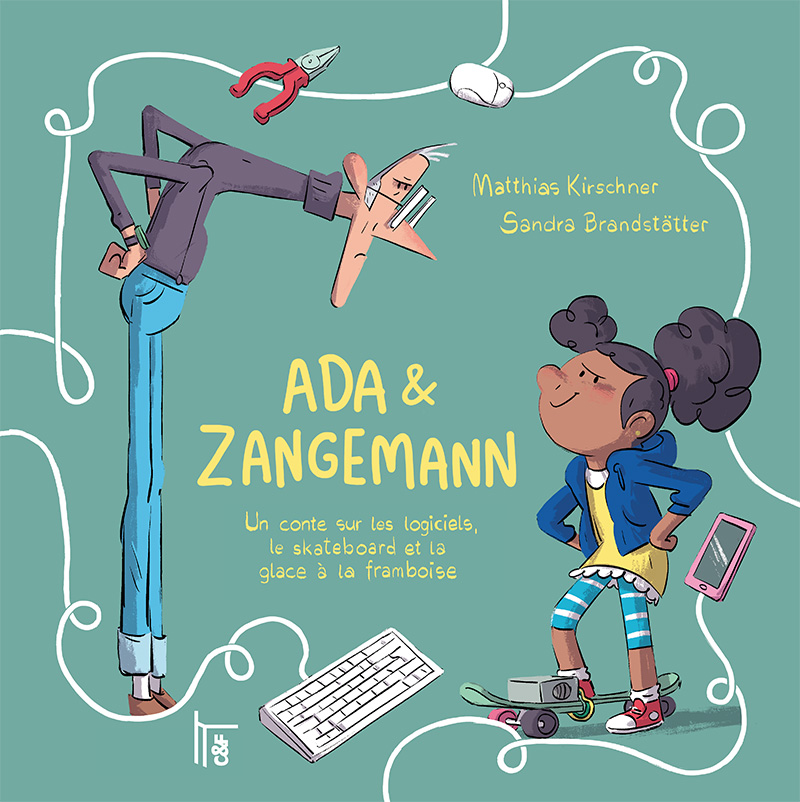
    [hashtag#Lecture] 🎁 Plus qu’une idée de lecture, c’est une idée de cadeau. "Ada & Zangemann", paru chez C & F EDITIONS sous l’impulsion d’Alexis Kauffmann va éveiller vos enfants au hashtag#LogicielLibre. ⬇

    https://cfeditions.com/ada/ressources/couv_ada_grand.jpg

    « Lorsqu’il eut terminé, il envoya tous les nouveaux programmes depuis son ordinateur en or vers les appareils des gens. Zangemann ordonna à ses enceintes de ne jouer que sa musique préférée lorsqu’il passait à proximité, et aux machines à glace de ne plus vendre de glaces dans l’après-midi… »

    Mais que faire quand l’irascible hashtag#Zangemann, l’inventeur de tous les appareils connectés du pays, décide que les skateboards ne doivent plus rouler sur les trottoirs, que les enceintes connectées ne doivent plus jouer qu’une seule musique, et les glaces n’avoir qu’un seul parfum ?

    C’est la petite hashtag#Ada qui a la solution : recycler, fabriquer, programmer... développer ses propres ordinateurs et logiciels en toute liberté, loin de la domination des grands empires commerciaux.

    "Ada & Zangemann", c’est un très beau conte signé Matthias Kirschner et illustré par Sandra Brandstätter, et adapté en français par Alexis Kauffmann et plusieurs classes de collège et de lycée. Il explique aux plus jeunes, mais aux adultes aussi, toute la problématique du logiciel libre et de notre indépendance matérielle et logicielle face aux GAFAM. 

    Et puis, la bonne nouvelle, c’est qu’en plus d’être un beau livre, ce conte est également disponible gratuitement (ou après un don d’un montant libre) sur le site de C & F EDITIONS, en format hashtag#PDF ou hashtag#ePub, sous licence hashtag#CreativeCommons : Attribution, Partage dans les mêmes conditions.

    Un grand bravo à Nicolas Taffin et Hervé Le Crosnier pour cette initiative.

    Le livre, à commander, lire ou télécharger est là ➡ ▻https://lnkd.in/edQr6evi

    hashtag#LogicielLibre hashtag#Lecture hashtag#CadeaudeNoël hashtag#GAFAM hashtag#CFEditions hashtag#Inspiration hashtag#BonDébutdeSemaine

    #Ada_Zangemann

    Articles repérés par Hervé Le Crosnier @hlc CC BY
    Écrire un commentaire
  • @cdb_77
    CDB_77 @cdb_77 23/08/2023
    3
    @colporteur
    @sombre
    @hassan_nya
    3

    CONVERTIR D’IMAGE EN TEXTE - #OCR EN LIGNE

    Le convertisseur d’image en texte vous permet d’extraire du texte d’une image ou de convertir un #PDF au format #Doc, Excel ou texte en ligne à l’aide d’un #logiciel de #reconnaissance_optique_de_caractères

    ▻https://www.onlineocr.net/fr

    #conversion #image #texte #online #en_ligne

    CDB_77 @cdb_77
    Écrire un commentaire
  • @recriweb
    Recriweb @recriweb 19/03/2023
    1
    @union_communiste_internationaliste
    1

    La Révolution de 1848 et le drapeau rouge, de Maurice Dommanget (1888-1976)

    Texte écrit en 1928 par le syndicaliste-révolutionnaire Maurice Dommanget, secrétaire général de la Fédératon unitaire de l’enseignement de 1926 à 1928 dont il fut un des fondateurs, et publié en mars 1948 par les Editons Spartacus.

    #pdf : ▻https://www.marxists.org/francais/dommanget/works/1928/La%20Revolution%20de%201848%20et%20le%20drapeau%20rouge.pdf

    #epub : ▻https://www.marxists.org/francais/dommanget/works/1928/Dommanget%201848%20drapeau.epub

    https://imagizer.imageshack.com/img922/8905/kCj4OG.png

    Sommaire :
    La révolution de 1848
    – Les conditons
    – La République arrachée
    – Les mesures sociales
    – #Louis_Blanc
    – Les courants socialistes en février
    – #Auguste_Blanqui
    – Le ralliement de l’église
    – Explicaton de l’échec prolétarien
    – Le manifeste communiste
    – Leçons du manifeste de la #révoluton_de_1848

    Le drapeau rouge en 1848 et sous la IIe République

    Chapitre 1 : la révolution de février
    – Du drapeau rouge en général
    – Les drapeaux des barricades
    – Appariton des premiers drapeaux rouges
    – Succès du drapeau rouge : ses causes
    – La thèse lamartnienne
    – La thèse proudhonienne
    – Le drapeau rouge gagne la province

    Chapitre 2 : #Lamartine, Blanqui, #Proudhon, le gouvernement et le drapeau rouge
    – L’effervescence du 25 février
    – La sommaton de l’ouvrier Marche
    – Le discours de Lamartne
    – Réactons et mesures d’apaisement
    – Riposte de Blanqui
    – Nouvelle ofensive et délibératon du 26 février
    – Nouvelle riposte de Blanqui
    – Décisions gouvernementales
    – Défaite du drapeau rouge

    Chapitre trois : des journées de février aux journées de juin
    – Eclipse du drapeau rouge jusqu’au 13 mai
    – La diatribe de #Victor_Hugo
    – Les #journées_de_juin

    Chapitre 4 : sous la répression et la réaction
    – Caractère et rayonnement internatonal du #drapeau_rouge
    – Manifestatons diverses en 1849
    – Le plaidoyer d’Alfred Delvaux 1850
    – Après le #coup_d'état du #2_décembre_1851

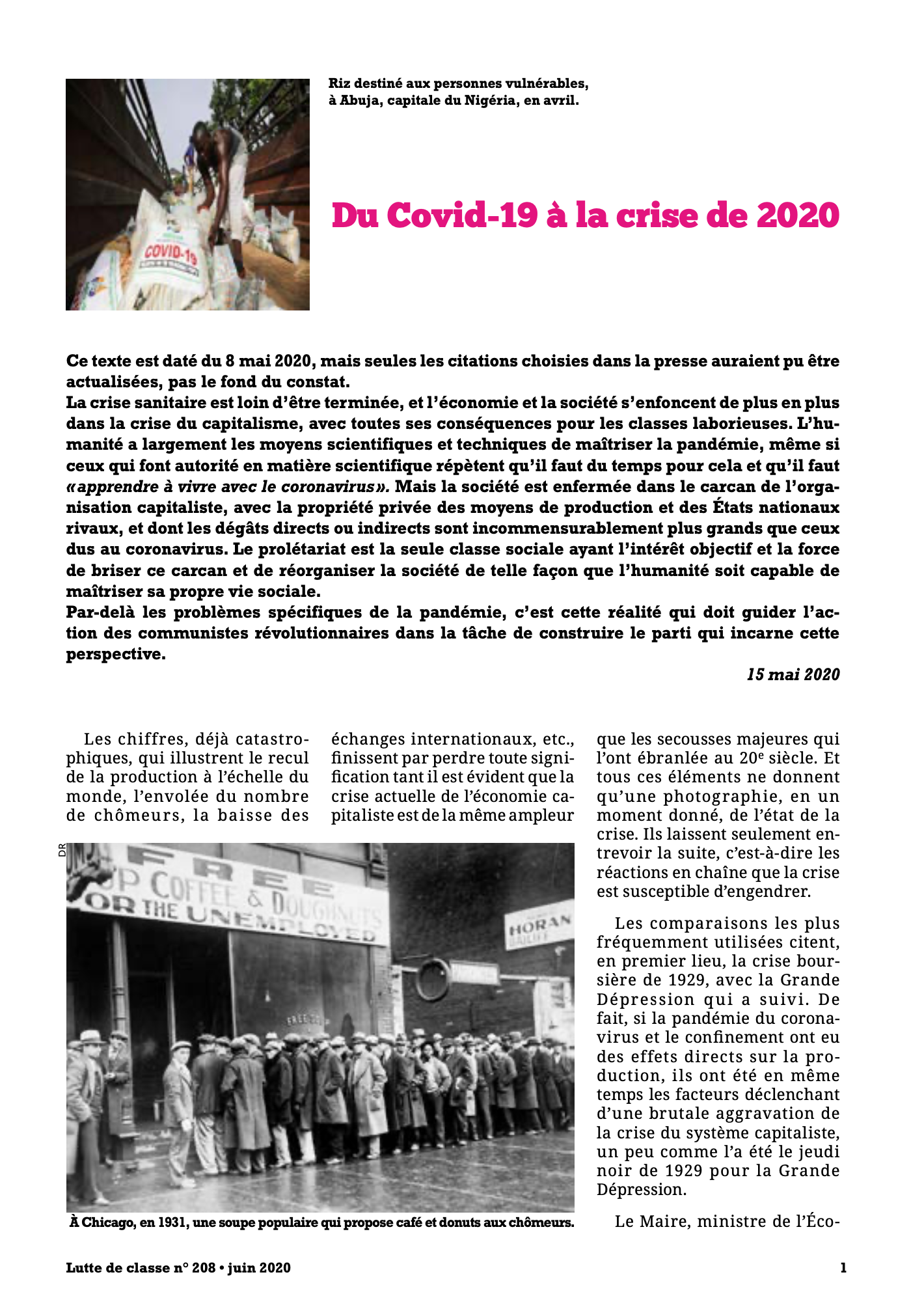
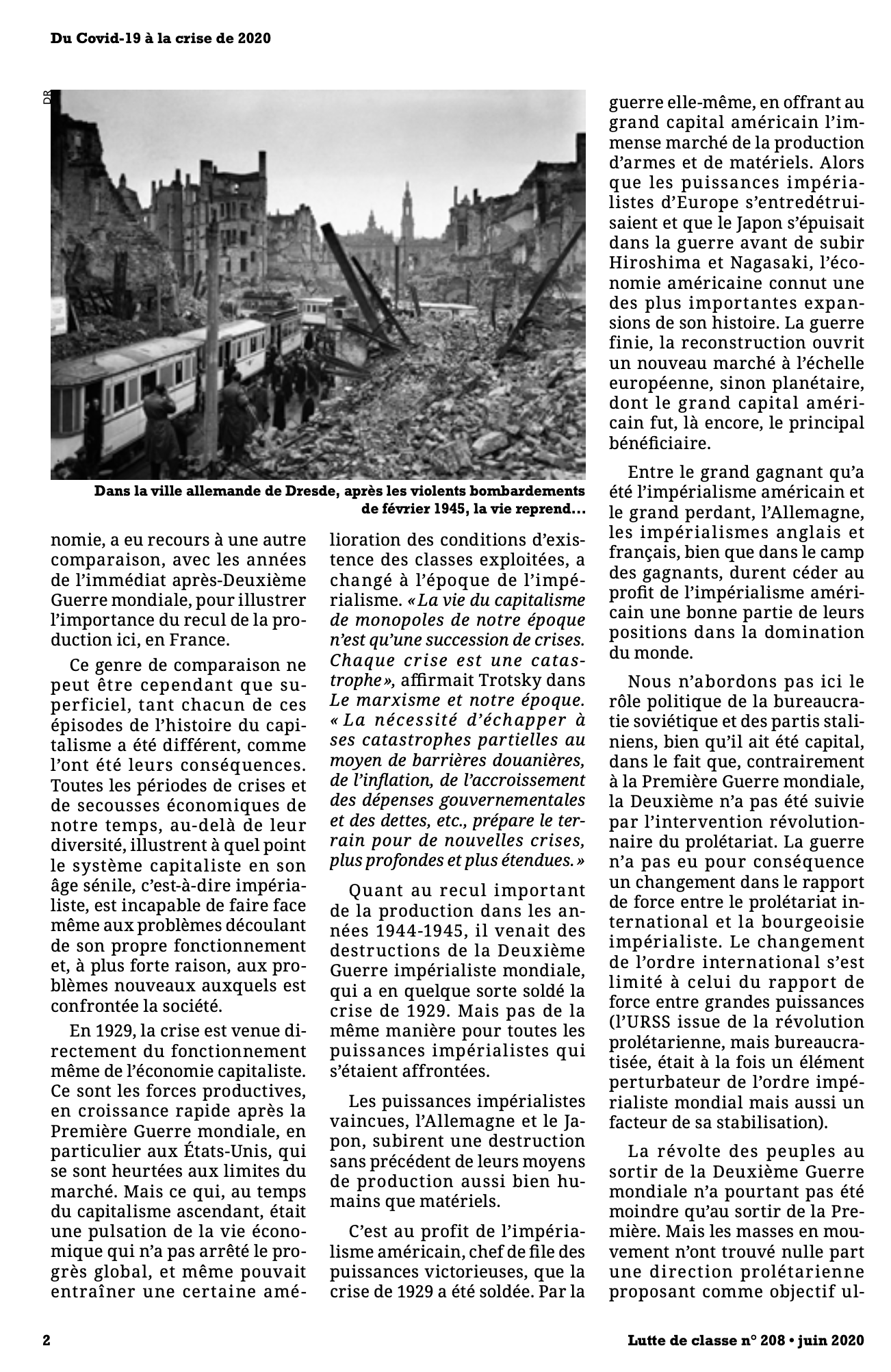
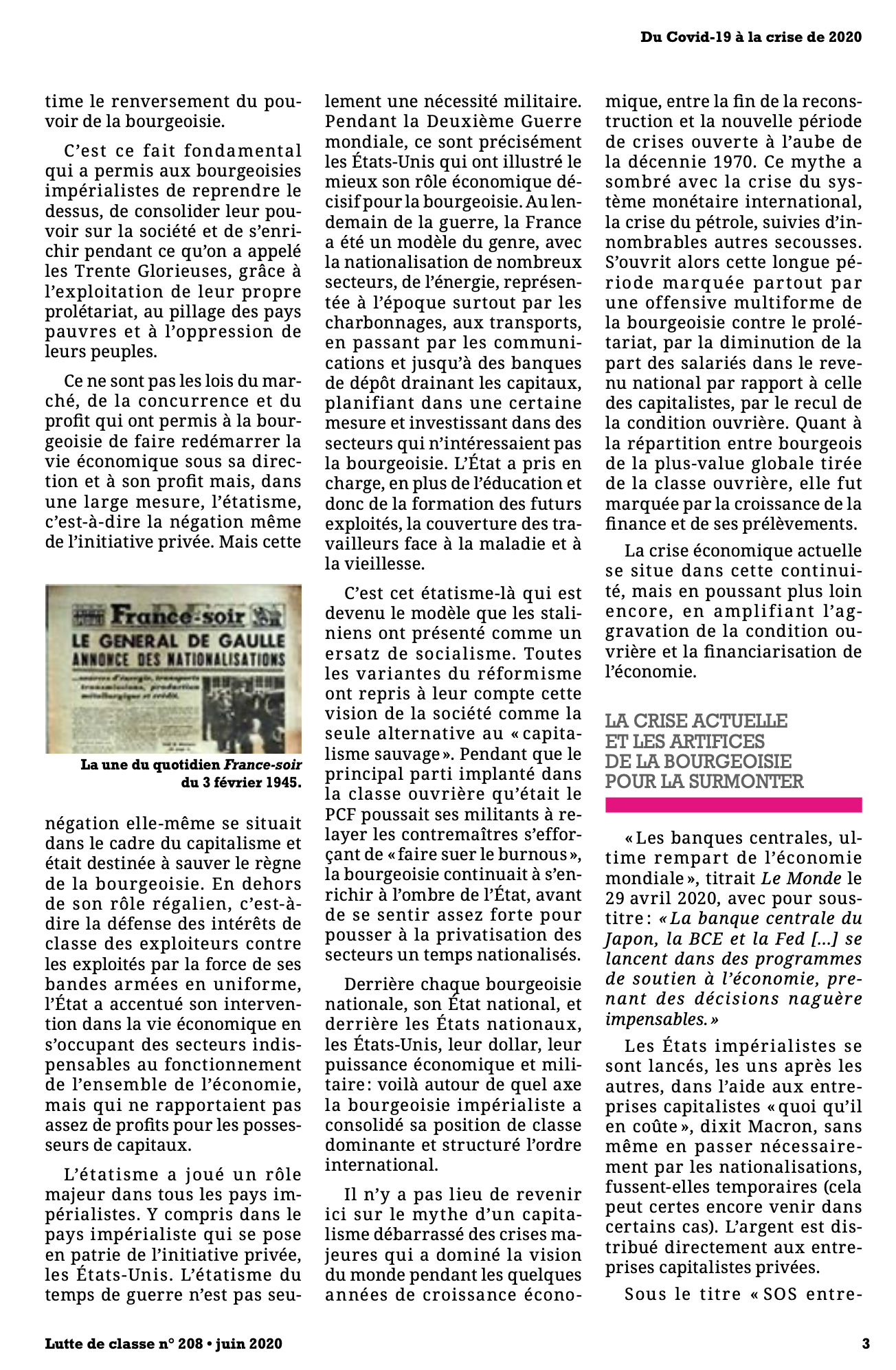
    #marxisme #analyse_de_classe #lutte_de_classe

    Recriweb @recriweb
    Écrire un commentaire
  • @partagenoir
    partagenoir @partagenoir CC BY-NC-SA 3/11/2022
    1
    @socialisme_libertaire
    1

    La société sans Etat de Giovanna Berneri - PDF
    ▻https://www.partage-noir.fr/la-societe-sans-etat-de-giovanna-berneri-pdf
    ▻https://www.partage-noir.fr/IMG/rubon189.png?1665577310

    La société sans État de Giovanna Berneri (Traduit de l’italien par Albert Ledrapier) a été publié dans la brochure n°3 de Contre Courant - Cahiers mensuels d’études sociales en janvier 1955. #La_société_sans_Etat

    #Giovanna_Berneri #anarchisme #PDF
    ▻https://www.partage-noir.fr/IMG/pdf/giovanna-berneri.pdf

    partagenoir @partagenoir CC BY-NC-SA
    Écrire un commentaire
  • @cy_altern
    cy_altern @cy_altern CC BY-SA 30/10/2021
    3
    @rastapopoulos
    @ericw
    @tofulm
    3

    Paged.js — About Paged.js
    ▻https://www.pagedjs.org/about

    Paged.js is a free and open source JavaScript library that paginates content in the browser to create PDF output from any HTML content. This means you can design works for print (eg. books) using HTML and CSS!

    Une librairie javascript pour paginer le HTML pour générer du PDF « joli »

    – le repo Gitlab : ▻https://gitlab.pagedmedia.org/tools/pagedjs
    – la documentation : ▻https://www.pagedjs.org/documentation
    – les spécifications CSS « Paged Media Module Level 3 » supportées : ▻https://www.pagedjs.org/documentation/cheatsheet
    – une étude de cas complète pour la création/mise en page d’un livre : ►https://polylogue.org/apres-la-page-la-double-page
    – rendu testable sur ►https://printcss.live

    #Pagedjs #pagination #générateur_PDF #PDF #javascript

    cy_altern @cy_altern CC BY-SA
    • @rastapopoulos
      RastaPopoulos @rastapopoulos CC BY-NC 31/10/2021

      Au départ seené là : ►https://seenthis.net/messages/742687

      #impression #print #CSS #HTML

      RastaPopoulos @rastapopoulos CC BY-NC
    Écrire un commentaire
  • @cy_altern
    cy_altern @cy_altern CC BY-SA 30/10/2021
    4
    @marcimat
    @rastapopoulos
    @ericw
    @tofulm
    4

    PrintCSS.live - The PrintCSS Playground
    ►https://printcss.live

    Une interface de comparaison du rendu des différentes librairies de génération de PDF à partir de HTML

    #PDF #comparateur #générateur_PDF

    cy_altern @cy_altern CC BY-SA
    • @rastapopoulos
      RastaPopoulos @rastapopoulos CC BY-NC 31/10/2021

      #impression #print #CSS #HTML

      RastaPopoulos @rastapopoulos CC BY-NC
    Écrire un commentaire
  • @carfree
    carfree @carfree via RSS CC BY-NC 18/06/2021

    Tuto pour automobilistes
    ▻http://carfree.fr/index.php/2021/06/18/tuto-pour-automobilistes

    Beaucoup d’automobilistes ont très souvent du mal à respecter les lignes présentes au sol pour délimiter le #stationnement ou les lignes délimitant des espaces interdits pour les voitures comme les Lire la suite...

    #Alternatives_à_la_voiture #Fin_de_l'automobile #Ressources #Tracts #Vélo #humour #pdf #pistes_cyclables #relations_cyclistes-automobilistes #téléchargement

    carfree @carfree via RSS CC BY-NC
    Écrire un commentaire
  • @partagenoir
    partagenoir @partagenoir CC BY-NC-SA 24/09/2020

    Charles #Malato (1857-1938) [ #PDF] - Partage Noir - #Anarchiste
    ►https://www.partage-noir.fr/charles-malato-1857-1938-pdf

    https://www.partage-noir.fr/IMG/arton647.jpg

    Les brochures Partage Noir sont réalisées avec les logiciels libres #GIMP #Inkscape #Scribus

    partagenoir @partagenoir CC BY-NC-SA
    Écrire un commentaire
  • @cy_altern
    cy_altern @cy_altern CC BY-SA 25/08/2020

    xournalpp/xournalpp: Xournal++ is a handwriting notetaking software with PDF annotation support. Written in C++ with GTK3, supporting Linux (e.g. Ubuntu, Debian, Arch, SUSE), macOS and Windows 10. Supports pen input from devices such as Wacom Tablets.
    ▻https://github.com/xournalpp/xournalpp

    Xournal++ is a handwriting notetaking software with PDF annotation support.

    Voir aussi la version web-app : ▻https://xournal.online/#

    #PDF #annotations

    cy_altern @cy_altern CC BY-SA
    Écrire un commentaire
0 | 25 | 50 | 75 | 100 | 125 | 150

Thèmes liés

  • #pdf
  • technology: pdf
  • #livres
  • technology: pdf
  • #epub
  • #ocr
  • #impression
  • #papers
  • #news
  • #open_source
  • #html
  • #css
  • #pdf
  • #rapport
  • country: france
  • #alternative
  • #epub
  • #conversion
  • #lutte_de_classe
  • #coronavirus
  • #livre
  • company: adobe
  • #epub
  • #logiciel_libre
  • #ebook
  • #outil
  • #tesseract
  • #empowerment
  • #print
  • #app_updates
  • #evince
  • #windows
  • #logiciel
  • #docx
  • #dev
  • #libreoffice
  • #office
  • #extraction
  • #python
  • #image