Seenthis
•
 
Identifiants personnels
  • [mot de passe oublié ?]

 
  • #g
  • #gn
RSS: #gnome

#gnome

  • #gnome3
  • #gnome-3
  • #gnome-os
  • #gnome40
  • #gnome’s
  • #gnome_
  • #gnomebuntu
0 | 25 | 50 | 75 | 100
  • @omgubuntu
    OMG ! Ubuntu ! @omgubuntu via RSS CC BY 10/12/2025

    Ubuntu 26.04 Will Look More Like Vanilla #GNOME Shell
    ▻https://www.omgubuntu.co.uk/2025/12/ubuntu-26-04-yaru-theme-gnome-shell-changes

    Ubuntu’s desktop is about to look more like upstream GNOME than it has in years — but before you panic unduly, it will still look like Ubuntu (mostly). The #yaru theme team — try saying that several times in a row — has embarked on a refactor of its GNOME Shell theme aimed at the next long-term support release, #Ubuntu_26.04_LTS. Instead of maintaining a separate, customised stylesheet for GNOME Shell it will use the default GNOME Shell theme and apply changes on top. Thought they were already doing that? Not quite. Currently, Ubuntu’s ‘Shell’ theme is structurally custom, […] You’re reading Ubuntu 26.04 Will Look More Like Vanilla GNOME Shell, a blog post from OMG! Ubuntu. Do not reproduce elsewhere without (...)

    #News #adwaita

    OMG ! Ubuntu ! @omgubuntu via RSS CC BY
    Écrire un commentaire
  • @omgubuntu
    OMG ! Ubuntu ! @omgubuntu via RSS CC BY 8/12/2025

    A Simple Way to Fake Blurred Windows on GNOME
    ▻https://www.omgubuntu.co.uk/2025/12/2-wallpapers-gnome-extension

    The 2 #wallpapers GNOME extension changes wallpaper when apps open, letting you fake blurred window look in apps that support transparency – clever! You’re reading A Simple Way to Fake Blurred Windows on GNOME, a blog post from OMG! Ubuntu. Do not reproduce elsewhere without permission.

    #News #Eye_Candy #GNOME_Extensions
    ▻https://www.omgubuntu.co.uk/wp-content/uploads/2025/12/demo.webm
    ▻https://www.omgubuntu.co.uk/wp-content/uploads/2025/12/2wallpapers.webm

    OMG ! Ubuntu ! @omgubuntu via RSS CC BY
    Écrire un commentaire
  • @omgubuntu
    OMG ! Ubuntu ! @omgubuntu via RSS CC BY 27/11/2025

    Ubuntu 26.04 Replaces System Monitor and Totem with New Apps
    ▻https://www.omgubuntu.co.uk/2025/11/ubuntu-26-04-lts-showtime-resources-default-apps

    Ubuntu developers confirm plans to ship 2 new apps in #Ubuntu_26.04_LTS, replacing its video and system monitor apps with a pair it feels are more ’modern’. You’re reading Ubuntu 26.04 Replaces System Monitor and Totem with New Apps, a blog post from OMG! Ubuntu. Do not reproduce elsewhere without permission.

    #News #GNOME_50 #Resources #showtime

    OMG ! Ubuntu ! @omgubuntu via RSS CC BY
    Écrire un commentaire
  • @omgubuntu
    OMG ! Ubuntu ! @omgubuntu via RSS CC BY 10/11/2025

    ‘Phases of Moon’ Brings Lunar Tracking to GNOME Shell
    ▻https://www.omgubuntu.co.uk/2025/11/phases-of-moon-gnome-shell-extension

    A GNOME Shell extension for tracking lunar phases on your Linux desktop, with info, a clean, minimal design - and a giant illuminated moon. You’re reading ‘Phases of Moon’ Brings Lunar Tracking to GNOME Shell, a blog post from OMG! Ubuntu. Do not reproduce elsewhere without permission.

    #News #astronomy #GNOME_Extensions #moon_phase

    OMG ! Ubuntu ! @omgubuntu via RSS CC BY
    Écrire un commentaire
  • @omgubuntu
    OMG ! Ubuntu ! @omgubuntu via RSS CC BY 27/10/2025

    Floating Mini Panel Gains New Vertical Orientation Option
    ▻https://www.omgubuntu.co.uk/2025/10/floating-mini-panel-vertical-mode

    Floating Mini Panel GNOME extension now has a vertical panel option, an orientation which feel up (a bit of) screen space on widescreen displays. You’re reading Floating Mini Panel Gains New Vertical Orientation Option, a blog post from OMG! Ubuntu. Do not reproduce elsewhere without permission.

    #News #GNOME_Extensions #MFP

    OMG ! Ubuntu ! @omgubuntu via RSS CC BY
    Écrire un commentaire
  • @omgubuntu
    OMG ! Ubuntu ! @omgubuntu via RSS CC BY 10/10/2025

    This Extension Brings Live Calendar & Clock Icons to Ubuntu’s Dock
    ▻https://www.omgubuntu.co.uk/2025/10/live-dock-icons-ubuntu-gnome-extension

    You can bring the GNOME calendar, clock and weather app icons to life in Ubuntu with a GNOME Shell extension that makes them show real-time information, right on the dock. If you keep the clock, calendar or weather icons pinned in the Ubuntu Dock (or an equivalent, like Dash to Panel) and you find yourself wishing they were dynamic, like macOS’ native equivalents, this does it! If this sounds a bit familiar, you’ve got a good memory! The Dynamic Calendar, Clocks and Weather Icons extension I wrote about back in 2022 did the same thing, but that extension hasn’t been […] You’re reading This Extension Brings Live Calendar & Clock Icons to Ubuntu’s Dock, a blog post from OMG! Ubuntu. Do not reproduce elsewhere without (...)
    #News #Eye_Candy #GNOME_Extensions

    OMG ! Ubuntu ! @omgubuntu via RSS CC BY
    Écrire un commentaire
  • @omgubuntu
    OMG ! Ubuntu ! @omgubuntu via RSS CC BY 3/10/2025

    Why the GNOME #screenshot App Doesn’t Work in #GNOME_49
    ▻https://www.omgubuntu.co.uk/2025/10/gnome-screenshot-app-no-longer-works-in-gnome-49

    If you see the “unable to capture a screenshot, all possible methods failed” error when using GNOME Screenshot in Ubuntu, it is not a bug – but by design. You’re reading Why the GNOME Screenshot App Doesn’t Work in GNOME 49, a blog post from OMG! Ubuntu. Do not reproduce elsewhere without permission.

    #News #Ubuntu_25.10

    OMG ! Ubuntu ! @omgubuntu via RSS CC BY
    Écrire un commentaire
  • @omgubuntu
    OMG ! Ubuntu ! @omgubuntu via RSS CC BY 2/10/2025

    Mini Floating Panel Adds New Auto-Positioning Options
    ▻https://www.omgubuntu.co.uk/2025/10/mini-floating-panel-7-click-positioning

    An update to the Floating Mini Panel GNOME Shell extension is out, adding the ability to move the compact panel to a different part of the screen by clicking. You’re reading Mini Floating Panel Adds New Auto-Positioning Options, a blog post from OMG! Ubuntu. Do not reproduce elsewhere without permission.

    #News #GNOME_Extensions #MFP

    OMG ! Ubuntu ! @omgubuntu via RSS CC BY
    Écrire un commentaire
  • @omgubuntu
    OMG ! Ubuntu ! @omgubuntu via RSS CC BY 30/09/2025

    GNOME 49 Support, New Keyboard Options Added to #Tiling_Shell
    ▻https://www.omgubuntu.co.uk/2025/09/tiling-shell-adds-gnome-49-support-new-keyboard-switching-options

    Tiling Shell, the GNOME extension providing you with a myriad of ways to tile windows in all kinds of cool ways — which is preinstalled in Zorin OS 18 — has issued an update adding a raft of new keyboard-focused features. GNOME 49 support also lands, meaning this extension works with the latest version of the desktop environment, released in early September. If you plan to install or upgrade to Ubuntu 25.10 next month, that will be welcome #News. So what’s new? Tiling Shell v17 adds a new option to raise windows together when using alt + tab to switch […] You’re reading GNOME 49 Support, New Keyboard Options Added to Tiling Shell, a blog post from OMG! Ubuntu. Do not reproduce elsewhere without (...)

    #GNOME_Extensions

    OMG ! Ubuntu ! @omgubuntu via RSS CC BY
    Écrire un commentaire
  • @omgubuntu
    OMG ! Ubuntu ! @omgubuntu via RSS CC BY 25/09/2025

    A Slick Desktop #weather Widget for Ubuntu Desktop
    ▻https://www.omgubuntu.co.uk/2025/09/desktop-weather-widget-ubuntu

    If you want weather information displayed directly on your Ubuntu desktop, the Desktop Widgets GNOME Shell extension is worth checking out. See why inside. You’re reading A Slick Desktop Weather Widget for Ubuntu Desktop, a blog post from OMG! Ubuntu. Do not reproduce elsewhere without permission.

    #News #Eye_Candy #GNOME_Extensions

    OMG ! Ubuntu ! @omgubuntu via RSS CC BY
    Écrire un commentaire
  • @omgubuntu
    OMG ! Ubuntu ! @omgubuntu via RSS CC BY 16/09/2025

    #GNOME’s #tetris Clone Gets ‘Significant’ Changes
    ▻https://www.omgubuntu.co.uk/2025/09/gnome-tetris-clone-gets-major-update

    Quadrapassel, the GNOME Tetris clone, is about to land its first major update in nearly four years. he headline change in #Quadrapassel 49 is a long-awaited port to GTK4/libadwaita. This gives the game a modern look that fits in with the modern GNOME desktop by using the latest design conventions. The game is able to resize neatly at smaller widths too. Touchscreen support is also plumbed in, making it possible to swipe and tap falling blocks into place with fingers, rather than hammering keyboard arrow keys. Gameplay has been refined with ‘large improvements’ to scoring, controls and pace. Scoring now […] You’re reading GNOME’s Tetris Clone Gets ‘Significant’ Changes, a blog post from OMG! Ubuntu. Do not reproduce elsewhere without (...)

    #News #GNOME_49 #gnome_games

    OMG ! Ubuntu ! @omgubuntu via RSS CC BY
    Écrire un commentaire
  • @omgubuntu
    OMG ! Ubuntu ! @omgubuntu via RSS CC BY 14/09/2025

    #dash_to_panel Update Adds GNOME 49 Support + More
    ▻https://www.omgubuntu.co.uk/2025/09/dash-to-panel-extension-gnome-49

    Popular GNOME Shell extension Dash to Panel is updated for GNOME 49, but all of its changes, fixes and improvements are available on earlier releases too. You’re reading Dash to Panel Update Adds GNOME 49 Support + More, a blog post from OMG! Ubuntu. Do not reproduce elsewhere without permission.

    #News #GNOME_Extensions

    OMG ! Ubuntu ! @omgubuntu via RSS CC BY
    Écrire un commentaire
  • @omgubuntu
    OMG ! Ubuntu ! @omgubuntu via RSS CC BY 12/09/2025

    #GNOME 49 : Best New Features
    ▻https://www.omgubuntu.co.uk/2025/09/gnome-49-new-features

    GNOME 49 lands next week, bringing a fresh set of features and design tweaks aimed at making everyday desktop life on Linux smoother, sharper, and more consistent — the best of which I run through in this post. Ubuntu users get (most of) #GNOME_49’s new features in the upcoming #Ubuntu_25.10 release, out on 9 October, 2025 (a beta build is out next week for anyone eager to have an early-bird encounter with the changes on offer). A codename is given to new versions of GNOME, a bit like Ubuntu or macOS. Except, it’s not animals or California landmarks […] You’re reading GNOME 49: Best New Features, a blog post from OMG! Ubuntu. Do not reproduce elsewhere without (...)

    #News

    OMG ! Ubuntu ! @omgubuntu via RSS CC BY
    Écrire un commentaire
  • @omgubuntu
    OMG ! Ubuntu ! @omgubuntu via RSS CC BY 10/09/2025

    Stop Wallpaper Moving When You Switch Workspace in GNOME
    ▻https://www.omgubuntu.co.uk/2025/09/static-workspace-background-gnome-extension

    Stop distracting wallpaper movement in GNOME Shell workspace transitions with Static Workspace Background extension, keepings the background fixed. You’re reading Stop Wallpaper Moving When You Switch Workspace in GNOME, a blog post from OMG! Ubuntu. Do not reproduce elsewhere without permission.

    #News #GNOME_Extensions

    OMG ! Ubuntu ! @omgubuntu via RSS CC BY
    Écrire un commentaire
  • @omgubuntu
    OMG ! Ubuntu ! @omgubuntu via RSS CC BY 4/09/2025

    #GNOME_49 Restores Ability to Launch X11 Desktop Sessions
    ▻https://www.omgubuntu.co.uk/2025/09/gnome-49-reenables-x11-session-support-in-gdm

    GNOME 49 re-enables X11 session support in GDM after it broke the ability to launch other desktop environments. It plans full removal in GNOME 50. You’re reading GNOME 49 Restores Ability to Launch X11 Desktop Sessions, a blog post from OMG! Ubuntu. Do not reproduce elsewhere without permission.

    #News

    OMG ! Ubuntu ! @omgubuntu via RSS CC BY
    Écrire un commentaire
  • @omgubuntu
    OMG ! Ubuntu ! @omgubuntu via RSS CC BY 19/08/2025

    For a Quick Way to See Disk Space in Ubuntu, Try This Extension
    ▻https://www.omgubuntu.co.uk/2025/08/gnome-disk-space-extension-nautilus-other-locations-alternative

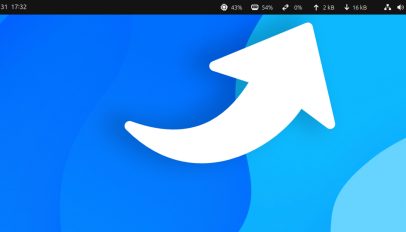
    I miss the ‘Other Locations’ page in older versions of the #Nautilus file manager. It made it easy to see an overview of disk usage across my (many) partitions — so I was pleased to find a GNOME Shell extension that plugs this glanceable stat gap. But first, some background to explain why I was pleased. My ‘testing laptop’ has a 256GB SSD with multiple OSes installed on it. The Linux partitions have around 35-50GB each. The laptop is not a full-time daily-driver, but my Linux partitions do fill up fast as I install and test software for this blog. […] You’re reading For a Quick Way to See Disk Space in Ubuntu, Try This Extension, a blog post from OMG! Ubuntu. Do not reproduce elsewhere without (...)
    #News #GNOME_Extensions

    OMG ! Ubuntu ! @omgubuntu via RSS CC BY
    Écrire un commentaire
  • @omgubuntu
    OMG ! Ubuntu ! @omgubuntu via RSS CC BY 15/08/2025

    Mini Floating Panel Extension Adds Sought-After Features
    ▻https://www.omgubuntu.co.uk/2025/08/mini-floating-panel-gnome-extension-update-indicators-scrolling

    A new version of the nifty Floating Mini Panel GNOME Shell extension is available, and adds the sought-after ability to show/hide indicator and applet icons. You’re reading Mini Floating Panel Extension Adds Sought-After Features, a blog post from OMG! Ubuntu. Do not reproduce elsewhere without permission.

    #News #GNOME_Extensions #MFP
    ▻https://www.omgubuntu.co.uk/wp-content/uploads/2025/08/floating-indicators.webm

    OMG ! Ubuntu ! @omgubuntu via RSS CC BY
    Écrire un commentaire
  • @omgubuntu
    OMG ! Ubuntu ! @omgubuntu via RSS CC BY 14/08/2025

    Fuzzy Application Search Extension for GNOME Works with your Typos
    ▻https://www.omgubuntu.co.uk/2025/08/fuzzy-application-search-gnome-extension-working

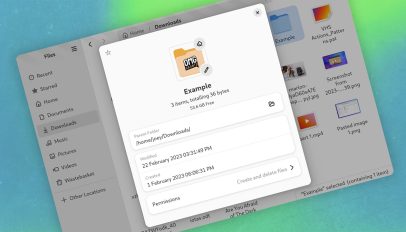
    I am what I choose to call an “inattentive typist”, so if I’m trying to launch apps in GNOME Shell, it can cause me issues. See, GNOME Shell is a “stickler for specificity”. You must type what you’re looking for in the overview search box correctly, or it returns no results. App launchers used on other desktop environments and OSes, use “fuzzy matching” (which predicts what you were trying to type) to work around this. GNOME Shell doesn’t, so if I futz a “frfiox”, or try to locate LibreOffice with “liberoffice”, I get nothing. It’s not a major hardship. I […] You’re reading Fuzzy Application Search Extension for GNOME Works with your Typos, a blog post from OMG! Ubuntu. Do not reproduce elsewhere without (...)
    #News #fuzzy_search #GNOME_Extensions

    OMG ! Ubuntu ! @omgubuntu via RSS CC BY
    Écrire un commentaire
  • @omgubuntu
    OMG ! Ubuntu ! @omgubuntu via RSS CC BY 1/08/2025

    Ubuntu’s #desktop_icons Extension Adds New Keyboard Shortcuts
    ▻https://www.omgubuntu.co.uk/2025/08/desktop-icons-gnome-extension-new-keyboard-shortcuts

    Ubuntu’s DING extension adds new keyboard shortcuts for desktop icon selection, including multi-select, Ctrl+Space toggle, and HOME/END navigation. You’re reading Ubuntu’s Desktop Icons Extension Adds New Keyboard Shortcuts, a blog post from OMG! Ubuntu. Do not reproduce elsewhere without permission.

    #News #GNOME_Extensions #Ubuntu_25.10

    OMG ! Ubuntu ! @omgubuntu via RSS CC BY
    Écrire un commentaire
  • @omgubuntu
    OMG ! Ubuntu ! @omgubuntu via RSS CC BY 30/07/2025

    GNOME Shell Gets a Proper Desktop Photo Widget (Finally)
    ▻https://www.omgubuntu.co.uk/2025/07/picture-desktop-widget-gnome-shell-extension

    A customisable photo widget for your GNOME desktop that shows images from any folder you like. Resizable and moveable, it adds a cute touch for sure. You’re reading GNOME Shell Gets a Proper Desktop Photo Widget (Finally), a blog post from OMG! Ubuntu. Do not reproduce elsewhere without permission.

    #News #Eye_Candy #GNOME_Extensions

    OMG ! Ubuntu ! @omgubuntu via RSS CC BY
    Écrire un commentaire
  • @omgubuntu
    OMG ! Ubuntu ! @omgubuntu via RSS CC BY 11/07/2025

    Want to Customise GNOME Shell #notifications? Try This Extension
    ▻https://www.omgubuntu.co.uk/2025/07/customise-gnome-shell-notifications-with-this-essential-extension

    You can customise GNOME Shell notifications, including position on screen, RegEx filtering, and custom colours using the Notification Configurator extension. You’re reading Want to Customise GNOME Shell Notifications? Try This Extension, a blog post from OMG! Ubuntu. Do not reproduce elsewhere without permission.

    #News #customization #GNOME_Extensions

    OMG ! Ubuntu ! @omgubuntu via RSS CC BY
    Écrire un commentaire
  • @omgubuntu
    OMG ! Ubuntu ! @omgubuntu via RSS CC BY 9/07/2025

    Floating Mini Panel GNOME Extension Adds Auto Mode
    ▻https://www.omgubuntu.co.uk/2025/07/floating-mini-panel-gnome-extension-automatic-mode

    The Floating Mini Panel GNOME Shell Extension I wrote about recently now includes an option to automatically activate the compact, movable panel based on your workflow. While there are a couple of caveats to how this auto-mode gets triggered, it’s an option that fits the USP of this extension extremely well. After all, it’s about getting the main panel out of your way, so having it vamoose without manual input is key to that. To recap, the Floating Mini Panel extension replaces the full-width panel on the GNOME Shell desktop with a super compact, freely moveable and always-on-top mini panel. […] You’re reading Floating Mini Panel GNOME Extension Adds Auto Mode, a blog post from OMG! Ubuntu. Do not reproduce elsewhere without (...)

    #News #GNOME_Extensions
    ▻https://www.omgubuntu.co.uk/wp-content/uploads/2025/07/Untitled.webm
    ▻https://www.omgubuntu.co.uk/wp-content/uploads/2025/07/asdasdasd.webm

    OMG ! Ubuntu ! @omgubuntu via RSS CC BY
    Écrire un commentaire
  • @omgubuntu
    OMG ! Ubuntu ! @omgubuntu via RSS CC BY 3/07/2025

    #GNOME_49 Makes #Papers a Core App, Replacing Evince
    ▻https://www.omgubuntu.co.uk/2025/07/papers-pdf-viewer-gnome-49

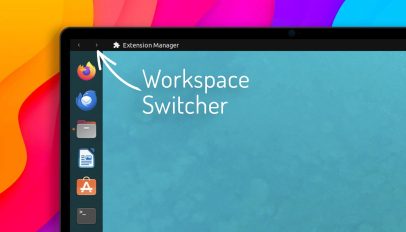
    When Ubuntu 25.04 made Papers its default #PDF viewer rather than keep shipping Evince, it did so knowing that the expectation was that upstream GNOME would do the same — now it has. The GNOME 49 Alpha release will ship Papers as a GNOME Core App, replacing Evince (also, as I reported back in May, Totem is replaced by Showtime in GNOME 49, and Manuals replaces Devhelp in the core-devel-tools set). For app swaps in GNOME development releases, they must be made them before the first alpha. The nature of development means decisions get made early but tentatively. If testing […] You’re reading GNOME 49 Makes Papers a Core App, Replacing Evince, a blog post from OMG! Ubuntu. Do not reproduce elsewhere without (...)
    #News

    OMG ! Ubuntu ! @omgubuntu via RSS CC BY
    Écrire un commentaire
  • @omgubuntu
    OMG ! Ubuntu ! @omgubuntu via RSS CC BY 3/07/2025

    Ubuntu Fixes Desktop File Thumbnails Not Showing
    ▻https://www.omgubuntu.co.uk/2025/07/desktop-file-thumbnails-fix-ubuntu-24-04

    Image, PDF and other supported file thumbnails will once again appear on the #Ubuntu_24.04_LTS desktop, after nearly a year of not showing. You’re reading Ubuntu Fixes Desktop File Thumbnails Not Showing, a blog post from OMG! Ubuntu. Do not reproduce elsewhere without permission.

    #News #Bug_Fixes #desktop_icons #GNOME_Extensions

    OMG ! Ubuntu ! @omgubuntu via RSS CC BY
    Écrire un commentaire
  • @omgubuntu
    OMG ! Ubuntu ! @omgubuntu via RSS CC BY 28/06/2025

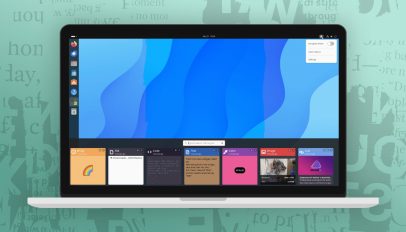
    Floating Mini Panel GNOME Extension
    ▻https://www.omgubuntu.co.uk/2025/06/floating-mini-panel-gnome-extension

    GNOME Shell extensions make it easy to reshape the standard desktop layout in novel new ways, with add-ons like Dash to Panel, OpenBar, and Task Up provide options to combine, configure and customise the top panel. Now, another choice has drifted on to the scene: Floating Mini Panel. Floating Mini Panel what it says: it turns the GNOME Shell Top Bar (the panel across the top of the display) into a compact, movable and always-on-top panel that can be activated as/when needed using a toggle in the Quick Settings menu. When activated, Mini Floating Panel only displays the clock/date applet […] You’re reading Floating Mini Panel GNOME Extension, a blog post from OMG! Ubuntu. Do not reproduce elsewhere without (...)
    #News #Eye_Candy #GNOME_Extensions

    OMG ! Ubuntu ! @omgubuntu via RSS CC BY
    Écrire un commentaire
0 | 25 | 50 | 75 | 100

Thèmes liés

  • #news
  • #gnome_extensions
  • #gnome
  • #eye_candy
  • #linux
  • #opensource
  • #tiling_shell
  • #app_updates
  • #gnome_48
  • #gnome’s
  • #gnome_49
  • #showtime
  • #how_to
  • #ubuntu_25.10
  • #gnome_46
  • #ubuntu_25.04
  • #development
  • #window_snapping
  • #ubuntu_24.04_lts
  • #mfp
  • #ubuntu_26.04_lts
  • #loupe
  • #bluetooth
  • #gtk
  • #burn_my_windows
  • #utilities
  • #apple
  • #fonts
  • #tiling_shell’s
  • #gnome_47
  • #papers
  • #customization
  • #desktop_icons
  • #totem
  • #weather
  • #dash_to_panel
  • #astronomy